How to Maximise Every Piece of Content You Create (The 2026 Growth Strategy)

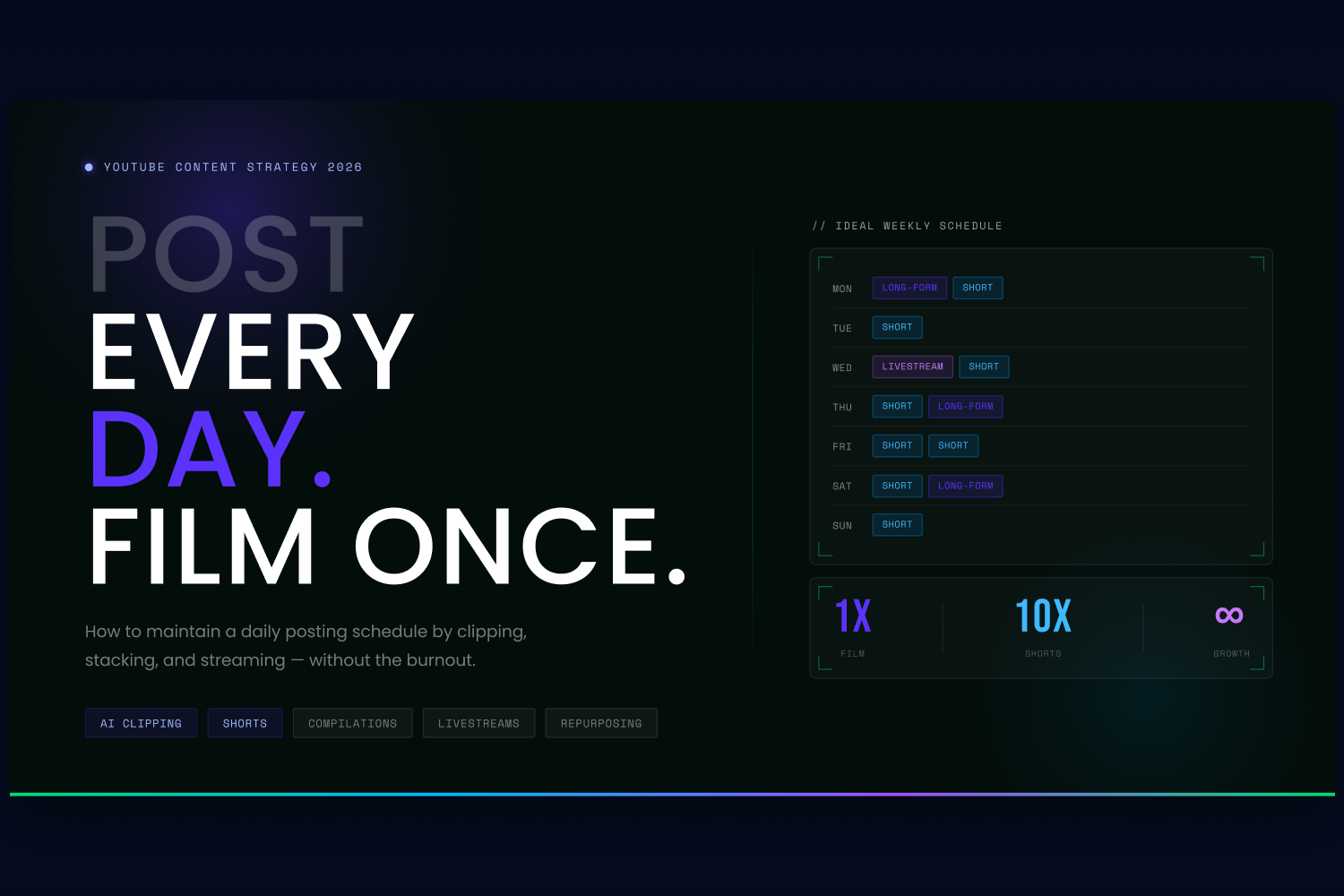
If you ask any successful creator what the secret to YouTube growth is, they will inevitably say "consistency." Regular uploads boost your algorithmic visibility, improve viewer retention, and build long-term subscriber trust.
But does consistency mean you have to script, film, and edit a brand-new, 10-minute video every single day? Absolutely not.
In 2026, the answer to how often you should post isn't about working yourself into burnout; it's about treating a single piece of content like a massive resource engine. Here is how you can maintain a high-frequency posting schedule—like posting one long-form video a week and one Short every day—by clipping, stacking, and streaming.
1. The "Clipping" Strategy: Turn 1 Video into 10 Shorts
You no longer need to shoot dedicated content for every day of the week. Instead, your goal should be to create one high-quality, long-form video (or podcast) each week, and then repurpose it. One long-form video should become 10+ pieces of short-form content.
By extracting the best moments from your main video, you can utilise YouTube Shorts to drive daily traffic back to your channel.
Tools to help:
- OpusClip & Submagic: These AI platforms are specifically designed to take a horial (16:9) video and automatically turn it into a vertical Short. OpusClip uses AI to identify the most engaging or "viral-worthy" moments, automatically reframes the speaker, and adds trendy animated captions.
- Buffer & Later: Once you have your batch of 10 Shorts, you can use tools like Later (which specialies in short-form visual content) or Buffer to schedule them to automatically publish throughout the week.
2. Stacking Videos: The Power of Compilations
What happens to your videos after they have been live for six months? For most creators, they die in the archives.
To increase your posting frequency without filming anything new, start "stacking" your older videos. If you have five different 10-minute videos about "Video Editing Tips," combine them into a single, seamless 50-minute "Ultimate Video Editing Masterclass."
Compilations are incredibly powerful for YouTube's algorithm because they generate massive Average View Duration (AVD) and watch time. Viewers love "all-in-one" guides, and it gives you a high-value piece of long-form content to post on a week when you don't have time to film something new.
3. Livestreams: The Ultimate Content Engine
Livestreams are the ultimate cheat code for maintaining a high posting frequency. A single 60-minute stream provides you with a massive amount of raw material to fuel your channel.
- Go Live for Engagement: Live streams build deep community trust through real-time interaction.
- The Pre-Recorded Hack: If you are camera-shy or terrified of making a mistake live, you can use tools like LiveCaster 3. This software allows you to take a pre-recorded, highly polished video and broadcast it to YouTube as if it were a live event. You get the algorithmic boost of a livestream while having the freedom to just hang out in the chat with your viewers.
- Post-Stream Clipping: Just like your standard uploads, run your finished livestreams through an AI clipping tool to generate another week's worth of Shorts.
4. Never Run Out of Ideas (The AI Assist)
The biggest bottleneck to posting consistently is simply figuring out what to post. If you are going to commit to a weekly long-form schedule, you need data-driven ideas.
Tools to help:
- vidIQ Daily Ideas: This AI-powered tool acts as your personal brainstorming assistant. It analyes your channel's history, related keywords, and competitor performance to give you 50 personali high-potential video ideas every single day. It even predicts the view potential of each idea so you know exactly which video to prioriti.
- OutlierKit: If you want to dive deeper, this tool scans millions of videos to find "outliers"—videos performing 5 to 10 times better than a channel's average—helping you spot viral trends before your competitors do.
The Ideal Posting Schedule
So, how often should you post? If you use the strategies above, your ideal schedule could look like this:
- 1x a week: Publish a high-quality Long-Form Video or Livestream.
- 5-7x a week: Publish YouTube Shorts (clipped directly from your weekly long-form video using AI).
- 1x a month: Publish a "Stacked" Compilation video to drive massive watch time.
By utilising AI clipping, stacking old content, and leveraging livestreams, you can effectively post every single day while only actually filming once a week.
If you liked that why not take a look

Copyright Claims vs Strikes: What Brands and Broadcasters Need to Know
Copyright claims and strikes are not the same thing. What each does to your channel, when to dispute, and how brands manage copyright risk at scale.
YouTube Content ID Explained: How Rights Holders Protect and Monetise Their IP
What YouTube Content ID is, who gets access, and how rights holders use it to protect and monetise content. Payouts, policies and pitfalls explained.
What Security and Compliance Should a YouTube Agency Have?
Your agency holds your accounts and data. What SOC 2, ISO 27001, GDPR and Cyber Essentials actually mean, and what to ask before you sign.
Should Your YouTube Agency Work With Your Competitors?
Your agency might run your rival's channel too. Why agency conflict of interest matters, how good agencies keep competing clients apart, and what to ask.
What Should a YouTube Agency Put in Writing?
Most YouTube agencies dodge written commitments. What a good agency should promise: response times, reporting cadence, and fixing underperforming videos.
What Data Can You Take When You Leave a YouTube Agency?
Can you take your analytics, dashboards and custom reports when you leave a YouTube agency? What data is yours, what is not, and how to avoid lock-in.

Ready to maximise your YouTube revenue?
Get in touch and let’s begin exploring your channel’s hidden potential.