YouTube Revenue Reconciliation: The 2026 Operator's Guide

How to Automate YouTube Revenue Reconciliation Across Networks
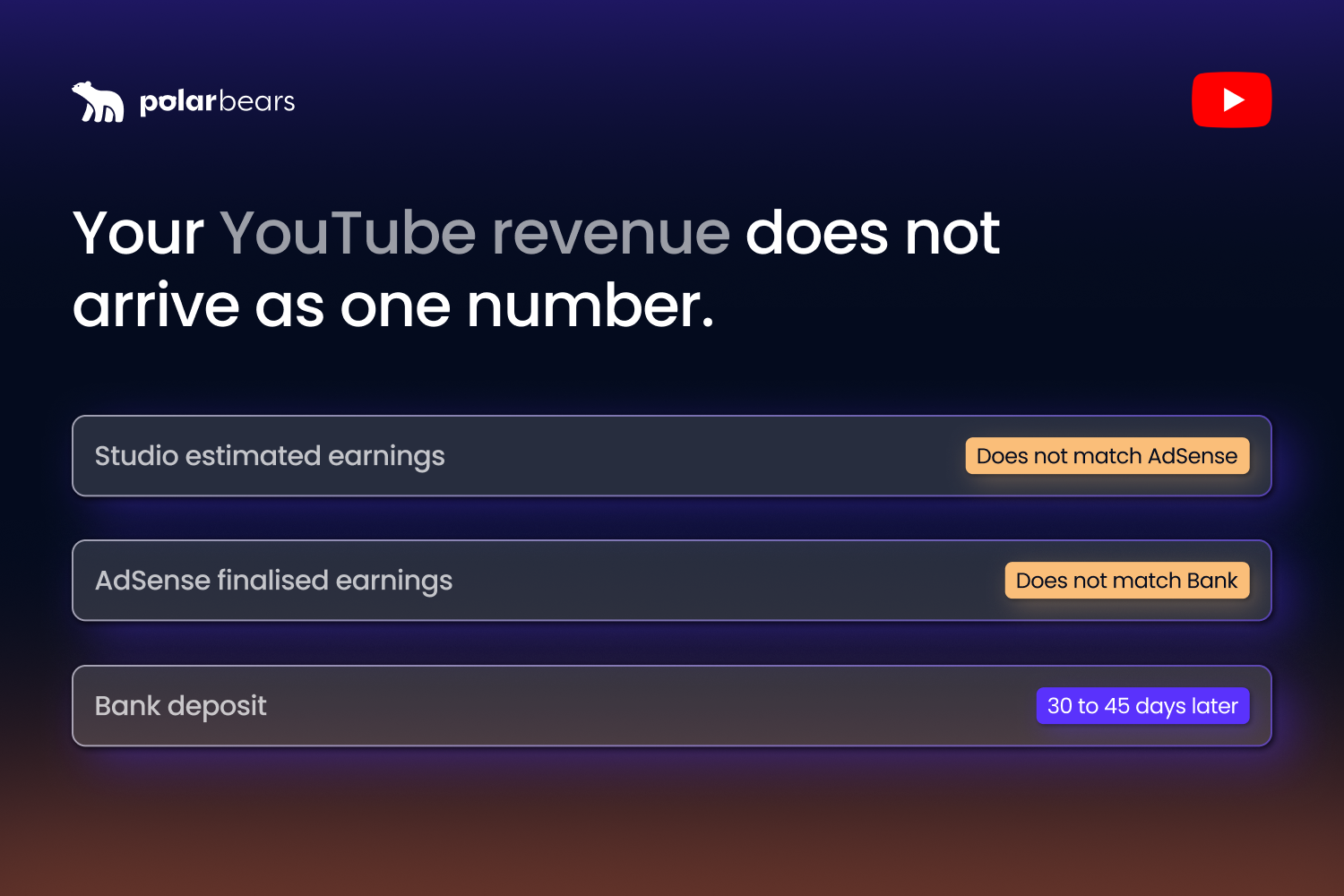
YouTube revenue does not arrive as one number. It arrives in pieces, on different dates, in different currencies, after different deductions. If you manage more than five channels, reconciling all of that is the slow, painful job that quietly eats your month-end close.
Reconciliation is the work of matching what you earned against what you actually got paid, and explaining every gap in between. On YouTube, the gap is rarely small. Estimated earnings in YouTube Studio do not match finalised AdSense earnings. AdSense does not match the cash that lands in your bank account. Direct ad sales sit in a separate platform. Network fees and channel-owner splits eat into your share before you ever see it. Currency conversion adds another layer of variance.
This guide walks through how the revenue actually flows, where the gaps appear, and what an automated reconciliation workflow needs to handle so finance teams can close the books without chasing numbers across six tabs.
Why YouTube revenue is harder to reconcile than standard ad revenue
If you have ever reconciled a Google Ads campaign or a Meta media plan, you know the pattern. One platform, one report, one invoice, one currency. Match against the cash in, close the month.
YouTube does not work like that. A managed channel can earn from at least five separate revenue lines at once. Watch-page ads on long-form videos. Shorts feed ads. YouTube Premium subscriber watch-time share. Direct ad sales sold by your network through Google Ad Manager. Sponsorships sold directly to brands. Each of those revenue lines reports on a different cadence, in a different system, with different deductions applied before the money lands in your account.
Say you run 25 YouTube channels for a UK broadcaster. Three of those channels carry licensed sports highlights with a per-clip royalty owed to the rights holder. Two carry music content under a label deal. The rest are owned-and-operated entertainment channels. Five of the 25 also sell direct ads through your in-house ad sales team. Every month, you need to pull data from YouTube Studio, AdSense, Google Ad Manager, your direct sales CRM, and your rights-holder contracts, then match all of it to the cash that has actually arrived. Multiply that by 12 months and you understand why finance teams quietly hate YouTube revenue.
The structural problem is that YouTube revenue is not one stream. It is a portfolio of streams that need to be assembled, deducted from, reconciled to the bank, and explained to whoever asks how the channel is performing.
The estimated-versus-finalised gap that breaks month-end
The first reconciliation gap shows up inside YouTube itself. Estimated earnings shown in YouTube Studio rarely match the finalised earnings that land in AdSense.
YouTube Studio shows estimated revenue in near real-time. The number updates within hours of ads serving. AdSense, by contrast, shows finalised earnings only after YouTube has processed the previous month, validated the data, and applied any deductions for invalid traffic, refunds, or policy adjustments. The official YouTube AdSense payment timeline confirms the schedule. Earnings from the previous month are finalised and posted to your AdSense balance between the 7th and 12th of the following month. Payment is then initiated between the 21st and 26th, with funds arriving up to seven business days later.
That gap between earning and cash is roughly 30 to 45 days. For finance teams running an accrual close, the timing is the problem. You accrue revenue in the month it is earned, but the finalised number is not available until the second week of the following month. If you close your books on the 5th, you are closing with estimates. If you wait until the 12th, you are late.
In January 2026, YouTube published an updated FAQ clarifying the three-phase cycle: finalisation between the 7th and 12th, threshold check on the 20th, payment between the 21st and 26th. The cycle itself has not changed, but the public clarification confirmed what operators have known for years. The estimated-versus-finalised gap is not a bug. It is the design.
For your 25-channel broadcaster, that means 25 separate estimated-versus-finalised reconciliations every month, before any other deductions are applied.
Network fees, channel-owner splits, and Content ID payaways
The next layer is the deductions stack. YouTube takes its cut first. Then the network. Then the channel owner. Then the rights holder.
YouTube's own revenue share is the easy bit. YouTube's partner earnings overview confirms that creators receive 55% of net watch-page ad revenue and 45% of the Shorts Creator Pool allocation. YouTube keeps the rest. Those splits are fixed and apply before anything reaches your AdSense account.
After that, the variability starts. If your channels are managed through a multi-channel network, the network takes a further cut. Industry reporting suggests MCN cuts typically range from 10% to 30% of the creator share, with the exact percentage depending on the contract, services provided, and channel scale. Then, if you manage channels you do not own, the channel owner takes their agreed share. Common arrangements run from 50/50 splits up to 80/20 in favour of the channel owner, again depending on the deal.
The trickiest layer is Content ID payaways for licensed content. If a video on your channel uses a clip of a Premier League goal under licence, or features a song claimed by a music label, the rights holder is entitled to a share of the ad revenue on that specific video. Per Google's Content ID system, claims can be set to monetise, track, or block. When they monetise, the revenue from that specific video splits between the uploader and the rights holder according to whatever the contract dictates. There is no fixed industry percentage. Sports deals often skew heavily toward the league. Music label deals can take 50% or more of the revenue from a video that uses their catalogue.
For the 25-channel broadcaster, the deduction chain on a single video featuring a Premier League clip might look like this. YouTube takes 45%. The MCN takes 20% of what is left. The Premier League rights holder takes 60% of the remainder under a sports licence. The broadcaster keeps the balance. Five layers of deduction, each on a different cadence, each needing audit-grade documentation.
Multi-currency consolidation and FX timing
Currency adds another reconciliation layer that catches finance teams out.
AdSense pays in USD by default for most accounts. If you operate from the UK, your consolidated P&L is in GBP. That means every monthly payout needs converting from USD to GBP at some point. The question of which exchange rate to use, and on which date, has accounting consequences.
Accrual-basis accounting applies the rate on the day revenue is earned. Cash-basis applies the rate on the day payment lands. Most companies use one or the other, but reconciling between the two requires tracking both. Spot rates fluctuate, especially over the 30 to 45 day gap between earning and payout. A £100,000 channel earning $130,000 in a month might be worth £103,000 by the time the cash arrives, or £97,000. Either way, finance needs to explain the variance.
If you operate across multiple markets, the problem multiplies. Direct ad sales for a French-language channel might be invoiced in EUR. YouTube Premium revenue allocated from German viewers comes through AdSense in USD. Sponsorship deals with a US brand pay in USD. Every line needs converting back to your reporting currency, and finance needs to choose between average rates, period-end rates, or historical rates depending on the accounting treatment.
The variance is rarely catastrophic. It is the explanation that takes time. Without an automated FX layer in your reconciliation system, that explanation lives in someone's spreadsheet.
Why YouTube CMS is not the answer for most brands
A reasonable question at this point: doesn't the YouTube Content Management System solve this?
For the small number of organisations that have CMS access, partially yes. The CMS gives network-level reporting, rights management, Content ID administration, and bulk payout reporting that the standard YouTube Partner Program cannot match. But according to industry guidance on CMS access in 2026, CMS is invitation-only and effectively reserved for multi-channel networks, major media companies, music labels, and large enterprises with significant copyrighted libraries. The qualifying criteria are not published, but they centre on demonstrated rights ownership at scale.
For everyone else, including most brands managing 10 to 100 channels, CMS access is not available. The alternative path is per-channel YouTube Partner Program enrolment, with reconciliation handled outside the platform. That means pulling AdSense data via API or scheduled export, combining it with Ad Manager data for direct-sold inventory, applying network and channel-owner share rules in your accounting layer, and matching everything to bank deposits separately.
A growing number of brands have found that the absence of CMS access is what makes a dedicated reconciliation workflow necessary. Without CMS to consolidate, the workflow has to be built outside the platform. For a deeper read on the broader monetisation picture, our guide on how to monetise your YouTube channel in 2026 covers every revenue stream a channel can earn from.
What automated reconciliation actually replaces
Most brand finance teams running YouTube revenue today rely on spreadsheets. Manual exports from Studio, AdSense, and Ad Manager get copied into a master sheet. Network fees and channel splits get applied with formulas. FX conversion happens in a separate tab. Bank deposits get matched by hand against a payout schedule. The whole exercise typically takes a finance analyst two to four days every month, and it is the part of the close most likely to slip.
Automated reconciliation replaces three specific jobs. First, multi-source data ingestion: pulling Studio, AdSense, GAM, and direct-sales data on a schedule rather than by hand. Second, the deductions stack: applying YouTube splits, network cuts, channel-owner shares, and Content ID payaways automatically per channel, based on configured rules. Third, currency consolidation: converting every line to your reporting currency at a defined treatment, with the FX rate applied logged for audit.
What is left for humans is the judgement work. Reviewing exceptions. Negotiating contract changes. Approving threshold-flagged anomalies. Explaining variance to the board. The mechanical work disappears.
The time saving compounds. Industry research on month-end close consistently shows that manual spreadsheet workflows are one of the biggest delays to finance teams getting to clean numbers. For a broadcaster running 25 channels, automated reconciliation typically takes the YouTube revenue piece of the close from days down to hours.
Building the reconciliation stack
If you are building or replacing your YouTube revenue reconciliation workflow, five things matter more than anything else.
The first is multi-source ingestion. The stack needs to pull YouTube Studio, AdSense, Google Ad Manager, and your direct-sales platform on a schedule, without human intervention. Anything that requires someone to log in and export weekly will break the first time that person is on holiday.
The second is per-channel rule configuration. Network cuts, channel-owner splits, Content ID payaways, and sponsorship deductions vary by channel and by contract. The system needs to apply the right rules to the right channel automatically, with a clear audit trail showing why each deduction was made.
The third is currency treatment. Pick your accounting convention, apply it consistently, and log the rates used. Mixing rate methodologies inside one report is how variance becomes unexplainable.
The fourth is scheduled reporting in the format each team actually uses. Finance does not want a dashboard. Finance wants a CSV in their inbox on the 12th of every month, formatted the same way every time, with the same line structure they can drop into the model. Channel managers want a separate view by Tuesday morning showing which channels are running below their revenue threshold. Auditors want a quarterly export with every deduction documented. The system needs to deliver all three.
The fifth is the audit trail. Every number on a finance report needs to trace back to a source. If a channel-owner pays out at 60% in May and 65% in June, the system needs to show the contract change that caused it. Without that, every quarter-end raises questions that take days to answer.
At The Polar Bears, the analytics layer in our stack is powered by Vixxi, the platform we license to consolidate YouTube, Google Ads, and Google Ad Manager into one workflow. It handles the multi-source ingestion, the per-channel deduction rules, the currency treatment, and the scheduled CSV delivery for the broadcaster and publisher clients we manage. The specific tool matters less than the principles. What matters is that finance gets clean numbers without anyone spending a week on spreadsheets to produce them.
FAQ
Does YouTube revenue need to be reconciled?
Yes, especially at scale. YouTube revenue arrives across multiple products (AdSense, Google Ad Manager, direct sales) on different cadences and in different currencies. Estimated earnings rarely match finalised earnings, and finalised earnings rarely match what hits the bank after fees and deductions. For brands managing more than a few channels, reconciliation is the only way to produce audit-grade revenue numbers and explain variance to finance.
Why is my YouTube Studio revenue different from my AdSense revenue?
YouTube Studio shows estimated revenue in near real-time, updated within hours of ads serving. AdSense shows finalised earnings only after YouTube has processed the previous month and applied deductions for invalid traffic, refunds, or policy adjustments. The two numbers are based on the same activity but at different stages of validation. Finalised AdSense numbers are typically posted between the 7th and 12th of the following month.
How long does it take YouTube to finalise monthly revenue?
YouTube finalises the previous month's revenue between the 7th and 12th of the current month. Once finalised, payment is initiated between the 21st and 26th if your balance has exceeded the payment threshold. Funds arrive in your bank account up to seven business days after issue. The total time between earning and cash is roughly 30 to 45 days from the original ad impression.
What is the YouTube revenue share between creators and the platform in 2026?
YouTube pays 55% of net watch-page ad revenue to monetising creators on long-form videos. On Shorts, creators receive 45% of their allocated share from the Creator Pool. YouTube keeps the rest in both cases. These splits are fixed and applied before revenue reaches your AdSense account. Network cuts, channel-owner splits, and Content ID payaways are applied separately, after YouTube's share.
How do MCN payouts work for YouTube revenue?
A multi-channel network sits between YouTube and the channel owner. Revenue flows from YouTube to the MCN's parent payments account, then the MCN deducts its fee before paying out to the channel owner. Fees typically range from 10% to 30% of the creator share, depending on the contract and services provided. Payout cadence varies but usually adds a further delay on top of YouTube's 30 to 45 day cycle. Reconciling MCN payouts means matching what YouTube paid the network against what the network paid you, after fees.
How do you reconcile YouTube revenue across multiple channels?
At scale, manual reconciliation breaks. The workflow that works is automated multi-source ingestion (Studio, AdSense, GAM, direct sales), per-channel deduction rules applied to each revenue line, currency conversion to a consistent reporting treatment, and scheduled CSV delivery to finance on a fixed monthly cadence. Every deduction needs an audit trail showing why it was applied. For brands managing more than five channels, that combination saves days of manual work every month and produces numbers finance can defend.
Want YouTube revenue clarity across every channel without losing your month-end?
If you liked that why not take a look

Copyright Claims vs Strikes: What Brands and Broadcasters Need to Know
Copyright claims and strikes are not the same thing. What each does to your channel, when to dispute, and how brands manage copyright risk at scale.
YouTube Content ID Explained: How Rights Holders Protect and Monetise Their IP
What YouTube Content ID is, who gets access, and how rights holders use it to protect and monetise content. Payouts, policies and pitfalls explained.
What Security and Compliance Should a YouTube Agency Have?
Your agency holds your accounts and data. What SOC 2, ISO 27001, GDPR and Cyber Essentials actually mean, and what to ask before you sign.
Should Your YouTube Agency Work With Your Competitors?
Your agency might run your rival's channel too. Why agency conflict of interest matters, how good agencies keep competing clients apart, and what to ask.
What Should a YouTube Agency Put in Writing?
Most YouTube agencies dodge written commitments. What a good agency should promise: response times, reporting cadence, and fixing underperforming videos.
What Data Can You Take When You Leave a YouTube Agency?
Can you take your analytics, dashboards and custom reports when you leave a YouTube agency? What data is yours, what is not, and how to avoid lock-in.

Ready to maximise your YouTube revenue?
Get in touch and let’s begin exploring your channel’s hidden potential.