Monetising the Always-On YouTube Channel in 2026

Monetising the Always-On YouTube Channel in 2026
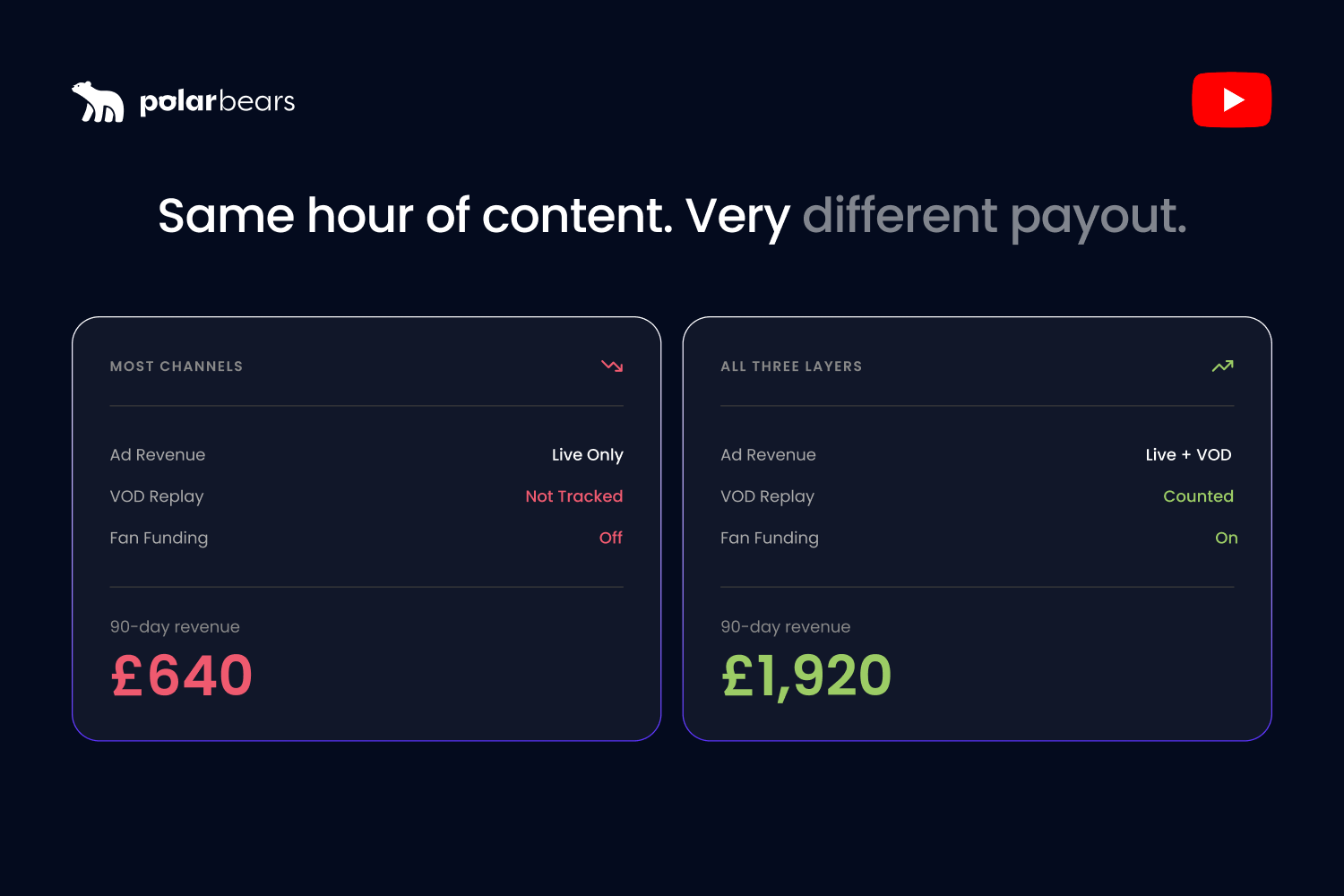
A 24/7 channel can earn from the same hour of content three times over. A lot of brands collect on one. Live ads, and that is it. The on-demand video each session leaves behind, and the fan funding from the people sitting in the stream, both go uncollected.
That is money already in the building, walking out the door. An always-on channel earns three ways at once: ads against a stream that never stops, the VOD each session saves, and fan funding from a live audience. The catch is that none of it pays a penny unless the channel is in the Partner Program and the content stays inside YouTube's 2026 rules on original, authentic content. Get the policy wrong and the answer is zero, no matter how many hours you stream.
This breaks down how an always-on channel actually earns, the ad formats that suit long streams, the on-demand double-dip, fan funding, what really drives the number, the policy gate, and an honest look at RPM.
The three layers, before the detail
It helps to see the whole shape first, because always-on revenue stacks rather than coming from one place.
Layer one is ads against the live stream. A continuous stream is ad-eligible the entire time it runs, which hands you far more inventory than a short upload. Layer two is the on-demand video each session saves, which keeps serving ads after the stream ends. Layer three is fan funding, the Super Chat, memberships and Super Thanks from an engaged live audience. Brand channels often count layer one and quietly leave the other two on the table. Our full breakdown of every YouTube revenue stream maps how they fit.
Ad revenue on long streams
Ads are the core of always-on income, and the format works in your favour for once.
Live and pre-recorded streams carry pre-roll, mid-roll and post-roll ads once the channel is monetised. The advantage of a long, continuous stream is mid-roll inventory. A ten-minute upload has room for a couple of breaks. A stream running for hours has room for many, and viewers who settle in for a lean-back session see more of them. That is the structural reason always-on can earn well. It is built for long watch sessions, and long watch sessions serve more ads.
The trade-off is real, so respect it. Pack the breaks too tight and concurrents drop, which costs you more than the extra impressions earn. The right cadence depends on your content, and getting it right is why paid and organic ad strategy on YouTube is worth treating seriously rather than leaving on default.
The on-demand double-dip
This is the layer teams routinely miss, and it is the one that makes always-on efficient.
When a session ends, it saves to your channel as on-demand video. That recording keeps serving ads, ranking in search, and surfacing in recommendations for as long as it stays up. So the same hours that earned live earn again as VOD, with no extra production. Capping each session at a sensible length, often around 12 hours, makes sure it archives cleanly as a usable asset instead of vanishing.
Each saved session is also raw material for clips and shorts, which carry the channel onto surfaces it can never occupy live. Our guide to maximising every piece of content covers turning that archive into a wider content engine.
Fan funding on top
For a channel with a real community, fan funding turns an audience into recurring revenue layered over the ad money.
Super Chat and Super Stickers
During a live stream, viewers pay to highlight their messages in chat. On an always-on channel with an active chat, that runs continuously rather than only during a scheduled broadcast.
Channel memberships
Members pay a monthly fee for perks. This is a channel-wide feature rather than a stream feature, but an always-on channel with a loyal audience is a natural place to drive sign-ups.
Super Thanks
On the replays and uploads, viewers tip through Super Thanks. So the same content that earned ads live, then ads again as VOD, can also collect direct tips on the replay. Three bites at one apple.
What actually drives the number
The honest version of always-on revenue is a multiplication, and every term in it is a lever you can pull.
Roughly, ad income comes down to average concurrent viewers, times the watch-time they generate, times your effective rate per thousand views. Each is shaped by a real choice. Concurrents depend on packaging and programming. Watch-time depends on whether the content holds a lean-back audience. The rate depends heavily on who is watching, because a viewer in a high-value advertising market is worth several times one in a low-value market for the same view.
This is why two channels with identical view counts can earn completely different amounts. A channel pulling a UK and US audience on long-form content sits in a different league to one pulling cheap traffic on a short loop. Judge it on concurrents alone and you will miss all of it, which is why the metrics that actually matter are watch-time, audience geography, and revenue per session, not the live counter.
The policy gate: get this wrong and earn nothing
Every layer above depends on one thing. The channel staying monetisable. This is the part that catches brand always-on channels out, so it gets its own warning.
In July 2025, YouTube tightened its monetisation policy to target mass-produced and repetitious content, now called "inauthentic content." Monetised content has to be original and add value. For always-on, the two ways to fall foul of it are looping a very short clip on repeat, which reads as low-effort repetition, and streaming content you do not own, which draws copyright claims that divert or block the revenue entirely.
The compliant version earns normally. Stream substantial, long-form content you own or have cleared, programme it on a real schedule, and refresh it so it never collapses into obvious repetition. AI-assisted content stays eligible where there is genuine human work behind it. The rule of thumb is blunt: if a viewer would call it a channel rather than a loop, it is on the right side of the line.
RPM: the honest bit
You will see bold RPM claims for always-on streaming. Be careful with them.
Tool vendors argue always-on lifts RPM by increasing ad-eligible watch-time, which is reasonable enough, since more watch-time means more chances to serve mid-rolls. But YouTube does not publish a live-versus-on-demand RPM comparison, and the live monetisation figures online are anecdotal or drawn from vendor case studies, not independent data. So the grown-up approach is to run your own always-on stream, measure its RPM against your normal uploads over a real period, and decide on your numbers rather than someone else's marketing. Sponsorship and direct ad sales can also sit on top of an always-on channel, and that is often where commercial partnerships add more than the platform ad revenue alone.
Building the revenue stack at scale
Pulling three layers from one channel, across a stream and the VOD it spins off, is an operations job. The money leaks where nobody is watching. A session that did not save as VOD. Fan funding that was never switched on. An ad cadence left on default. Content that drifted across the policy line and quietly lost monetisation.
At The Polar Bears, the revenue reporting behind that is Powered by Vixxi, the platform we license to consolidate YouTube, Google Ads, and Google Ad Manager into one workflow. For the broadcasters and publishers we work with, it pulls the ad revenue, the VOD earnings, and the wider ad-manager income into one view, so the channel gets run as a business rather than a stream that happens to be on. The tooling is not the point. The habit is. An always-on channel earns on three layers, and all three need watching.
FAQ
Do you get paid for live streams on YouTube?
Yes, if your channel is in the YouTube Partner Program. Live and pre-recorded streams carry ads, earn Super Chat and memberships during the broadcast, and keep earning through the on-demand video each session saves. The stream has to follow YouTube's content and monetisation policies to stay eligible.
How much does a 24/7 YouTube live stream make?
It depends on average concurrent viewers, the watch-time they generate, and who is watching, since viewers in higher-value advertising markets are worth more per view. There is no fixed figure. A stream with a UK or US audience on long-form content earns on a very different scale to one with cheap traffic on a short loop.
Do live streams count towards YouTube monetisation requirements?
Yes. Watch-time from live streams counts towards the Partner Program watch-hour threshold, and live content is monetisable once the channel is accepted. The content still has to meet YouTube's originality and authenticity rules to earn.
How does YouTube pay for live stream views?
Through ads served against the stream and its saved recording, paid out as part of your AdSense revenue, plus any fan funding such as Super Chat, memberships and Super Thanks. Long streams earn mainly through mid-roll ads, of which a continuous stream has far more than a short upload.
What kind of content cannot be monetised on a YouTube stream?
Content you do not own or have not licensed, which draws copyright claims, and low-effort repetitious material such as a short clip looped endlessly, which can be flagged as inauthentic under YouTube's 2025 policy. Substantial, original or cleared content on a real schedule monetises normally.
Do mid-roll ads work on a pre-recorded live stream?
Yes. A pre-recorded stream played as live is treated like any live stream for monetisation, so it can carry pre-roll, mid-roll and post-roll ads. Long continuous streams suit mid-rolls especially, because there is room for many more breaks than in a short video, spread across long viewing sessions.
Want to earn from an always-on channel on every layer, not just one?
If you liked that why not take a look

Copyright Claims vs Strikes: What Brands and Broadcasters Need to Know
Copyright claims and strikes are not the same thing. What each does to your channel, when to dispute, and how brands manage copyright risk at scale.
YouTube Content ID Explained: How Rights Holders Protect and Monetise Their IP
What YouTube Content ID is, who gets access, and how rights holders use it to protect and monetise content. Payouts, policies and pitfalls explained.
What Security and Compliance Should a YouTube Agency Have?
Your agency holds your accounts and data. What SOC 2, ISO 27001, GDPR and Cyber Essentials actually mean, and what to ask before you sign.
Should Your YouTube Agency Work With Your Competitors?
Your agency might run your rival's channel too. Why agency conflict of interest matters, how good agencies keep competing clients apart, and what to ask.
What Should a YouTube Agency Put in Writing?
Most YouTube agencies dodge written commitments. What a good agency should promise: response times, reporting cadence, and fixing underperforming videos.
What Data Can You Take When You Leave a YouTube Agency?
Can you take your analytics, dashboards and custom reports when you leave a YouTube agency? What data is yours, what is not, and how to avoid lock-in.

Ready to maximise your YouTube revenue?
Get in touch and let’s begin exploring your channel’s hidden potential.